
Camera Shot Size Chart: Seven Common Sizes
A camera shot size describes how much of a subject and its surroundings appears in the frame. This film chart compares seven common sizes, from an extreme close-up (ECU) to an extreme wide shot (EWS). Record camera angle, movement and story function separately; none of them can be determined from size alone.
Use the illustrated comparison below, or download its PNG and A4 PDF without signing up. To log your own footage, use the free blank shot-list CSV.
Seven shot sizes, side by side
One person, one courtyard: compare the framing from a detail of the eyes to the wider setting. These are original illustrations, not film stills.



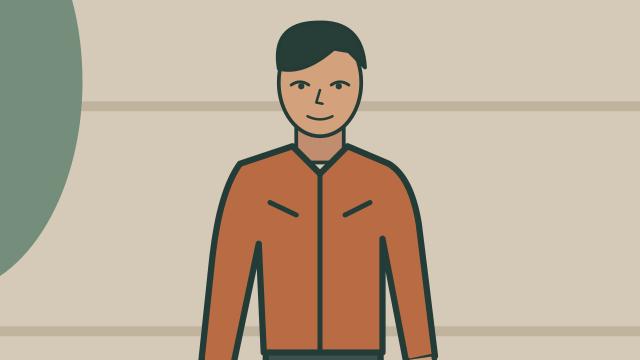
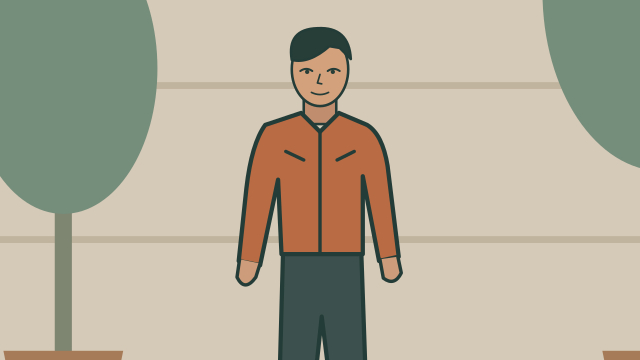

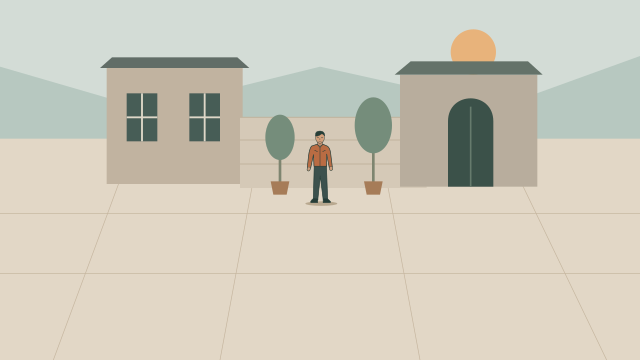
Each frame crops the same illustration to compare field of view; it does not simulate perspective changes from moving a camera or changing lenses. Names and crop points vary between teams. Record angle and movement separately.
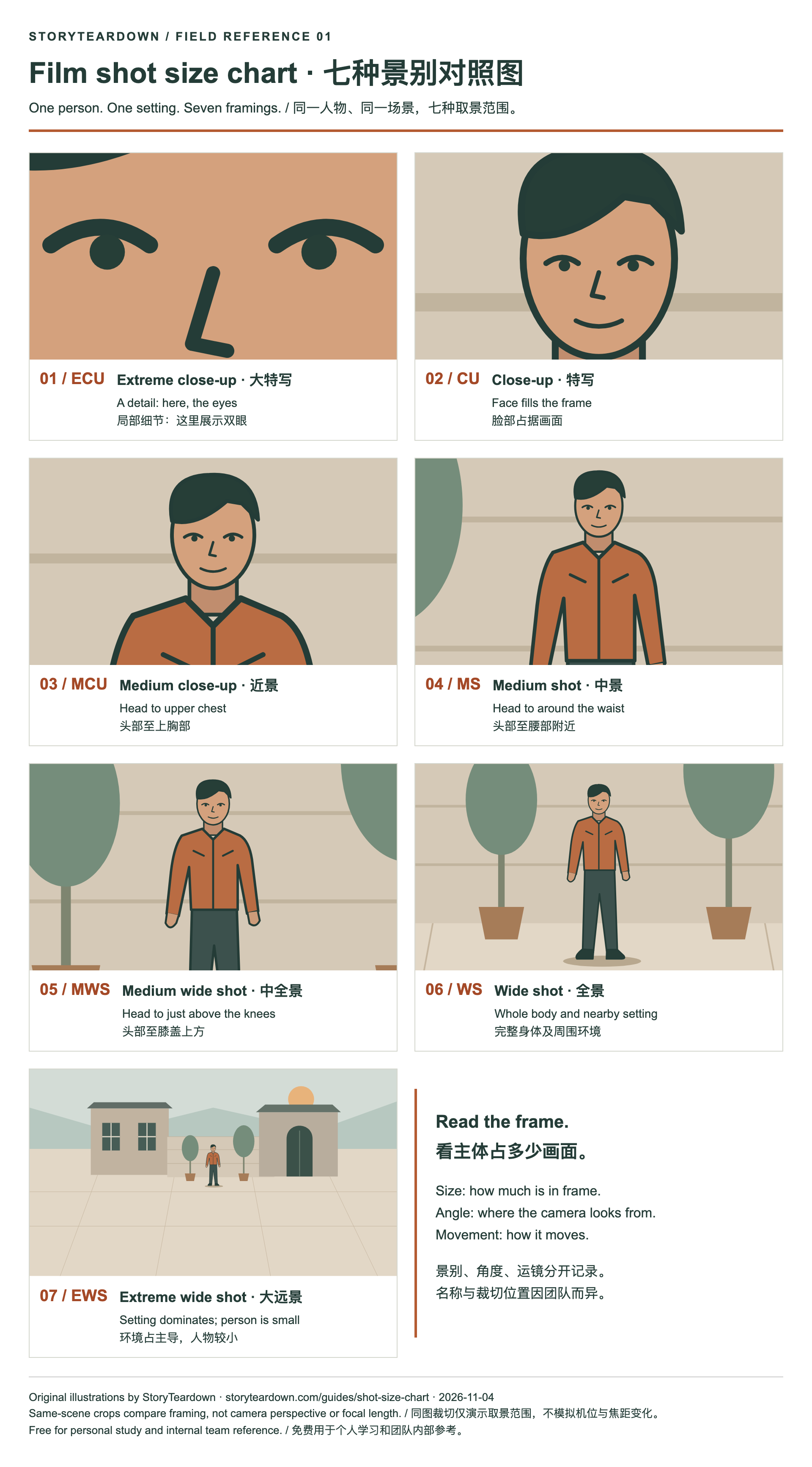
Free download, no sign-up. Both files include English and Chinese labels for personal study and internal team reference.
Types of camera shots by size (chart)
| Abbreviation | Name | What is in frame | Common use |
|---|---|---|---|
| ECU | Extreme close-up | A detail (eye, mouth, prop) | Emotion, reveal, insert |
| CU | Close-up | Head / face, or a small object filling the frame | Reaction, intimacy |
| MCU | Medium close-up | Head through the upper chest | Dialogue, character focus |
| MS | Medium shot | Waist up (or equivalent for objects) | Action plus expression |
| MWS | Medium wide / medium long | Approximately knees up | Blocking, body language |
| WS | Wide / long shot | Full body with some environment | Geography, staging |
| EWS | Extreme wide | Setting dominates; subject is small | Location, scale, isolation |
These are working crop conventions, not fixed physical measurements. Common-use notes are possible interpretations, not automatic meanings. A wide shot does not always mean isolation, and a close-up does not prove intimacy.
Common aliases: WS, LS, MWS, MLS, EWS and ELS
Long shot (LS) broadly corresponds to wide shot (WS); medium long (MLS) to medium wide (MWS); extreme long (ELS) to extreme wide (EWS). A cowboy shot often crops around mid-thigh and is not an exact synonym for every knees-up MWS. Some teams distinguish a full shot, where the whole body nearly fills the frame, from a wider view with more surroundings.
Agree on a glossary before combining records from different people or tools. Keep the original label alongside your normalized one if the distinction matters.
How to choose a size when the framing is ambiguous
- Identify the subject. In a group or a frame with strong foreground elements, state which person or object you are measuring against.
- Describe the visible crop. “Head to upper chest” is clearer than forcing a disputed label. Use the chart as a comparison, not a pixel threshold.
- Watch the whole take. If a continuous shot tightens from WS to CU, keep one shot row and record the change.
- Check the actual aspect ratio. A 9:16 crop can remove surrounding context while keeping the same vertical body coverage. Classify the delivered frame, and note reframing if relevant.
A shot-size label does not reveal lens focal length, sensor size or camera-to-subject distance on its own. A digital crop and camera travel may produce similar framing while changing other image properties differently.
Camera angle and frame orientation
| Angle | Camera position | Typical effect (interpretation — keep in a notes column) |
|---|---|---|
| Eye level | At the subject's eye height | Neutral, conversational |
| High | Looking down | Subject can feel smaller or observed |
| Low | Looking up | Subject can feel stronger or imposing |
| Overhead / bird's-eye | Directly above | Pattern, process, map-like clarity |
| Dutch / canted | Horizon tilted | Unease, instability |
Size answers “how much”; angle describes the viewing direction, while a Dutch angle describes a tilted frame. POV identifies whose view is represented and can occur at different heights and angles; record it as a perspective note.
Types of camera movements
| Movement | What the camera does | Note for logging |
|---|---|---|
| Static | Framing stays still | Note visible shake separately |
| Pan | Rotates left/right on a fixed axis | Start and end of the pan |
| Tilt | Rotates up/down on a fixed axis | Same |
| Dolly / tracking | Camera body moves through space | Direction and what it follows |
| Handheld-style | Irregular camera motion | Finished footage may not establish the actual support rig |
| Zoom | Focal length changes | Can accompany camera travel; mark uncertain digital scaling as uncertain |
| Rise / fall | Camera travels vertically | Note start and end height; do not infer a specific rig without evidence |
Special-purpose shots: insert, two-shot, OTS, POV, establishing
These labels describe composition, perspective or function rather than a fixed crop. Keep the size separate and add the relevant note.
| Name | What it is | How to log it |
|---|---|---|
| Insert | A tight shot of a detail (hands, a prop, a screen) cut into a scene | Size ECU or CU; note "insert" |
| Two-shot | Two characters in one frame | Record the observed size; note “two-shot” |
| Over-the-shoulder (OTS) | Framed past one character's shoulder toward another | Usually MCU or MS; note "OTS" |
| POV | Roughly what a character sees | Note the perspective and record camera angle separately |
| Establishing shot | Introduces a location or spatial relationship | Record the actual size; note the establishing function |
How to label camera shots when breaking down a scene
- Watch once for story; do not classify yet.
- Mark every cut with a timecode.
- For each row, write size from what you see (not what you feel).
- Add angle and movement in their own columns.
- Put interpretation ("plants suspicion", "isolates the hero") in a purpose / note column.
A free blank table is in the Download CSV · shot list template. For the full method, see how to break down a film scene.
Example: labelling camera shots (fictional)
EXAMPLE (fictional): a made-up 20-second café scene, written only to show how each type of camera shot is logged.
| # | Time | Size | Angle | Move | Action | Note |
|---|---|---|---|---|---|---|
| 1 | 00:00–00:04 | EWS | High | Static | Rainy street, one café lit up | Establishing |
| 2 | 00:04–00:09 | MS | Eye level | Dolly in | Lena sits down across from Sam | Two-shot |
| 3 | 00:09–00:12 | MCU | Eye level | Static | Sam slides an envelope across the table | OTS from Lena |
| 4 | 00:12–00:14 | ECU | Overhead | Static | Envelope flap, a key inside | Insert |
| 5 | 00:14–00:20 | CU | Low | Handheld | Lena looks up, not smiling | Reaction |
Camera shots in a storyboard vs a shot list
A storyboard draws each planned size; a shot list writes the abbreviation in a table. Need a blank board? Download the free storyboard template. Many teams use both. See storyboard vs shot list.
Put the shot size chart to work
For the full manual method, use the six-step shot breakdown guide. To inspect an AI draft, see the video-to-shot-list workflow and playable sample. Review each description against the footage before reusing or exporting it; the product's sample CSV uses camera-angle and composition fields rather than a separate column for every term in this guide.
Terminology and sources
Framing terminology adapted from Central Connecticut State University — Cinematography. Its teaching guide uses MLS, LS and ELS and describes MCU as chest-up. Yale Film Analysis — Cinematography provides further context on framing, perspective and camera movement. The crop conventions, original illustrations and fictional teaching example here are organized by StoryTeardown for shot logging.
FAQ
What is a camera shot size?
Shot size describes how much of a subject and its surroundings appears in the frame. It is a framing label, not a measurement of lens focal length or camera distance in meters.
Are there exactly seven shot sizes?
No single vocabulary is universal. This chart uses seven common sizes from ECU to EWS. Some teams add a full shot or use LS, MLS and ELS for long, medium long and extreme long shots. Define the terms in your project glossary.
What is the difference between MCU and MS?
In this chart, MCU frames the head through the upper chest; MS extends to about the waist. Crop points vary, so compare the visible framing as well as the label.
What do LS, MLS and ELS mean?
LS means long shot, MLS medium long shot and ELS extreme long shot. They broadly correspond to this chart’s WS, MWS and EWS. These are working equivalents; check the crop convention used by your team.
Is an establishing shot always an extreme wide shot?
No. Establishing describes a shot’s job of introducing a place or spatial relationship. A wide shot often does that job, but size and story function should be recorded separately.
How do I label a shot that changes size?
Keep one shot record for a continuous take. Note the starting and ending framing, such as WS to CU, and describe the visible movement. A change in shot size alone does not establish a cut.
Can AI identify camera shot types for me?
StoryTeardown can draft shot descriptions, camera angle and composition notes. Verify framing against the video; the sample CSV does not promise a separate field for every shot-size or movement label.